Read any page in two languages.
Grasp shows the translation beside the original, explains any word in the sentence it is in, and answers your follow-up questions, without leaving the tab.
Chrome 138 or newer · Edge · Brave · Opera · Vivaldi · Arc
How a page reads with Grasp
Forty seconds: a page in two languages, a word that is still unclear, its meaning in that sentence, and a follow-up answered where you are.
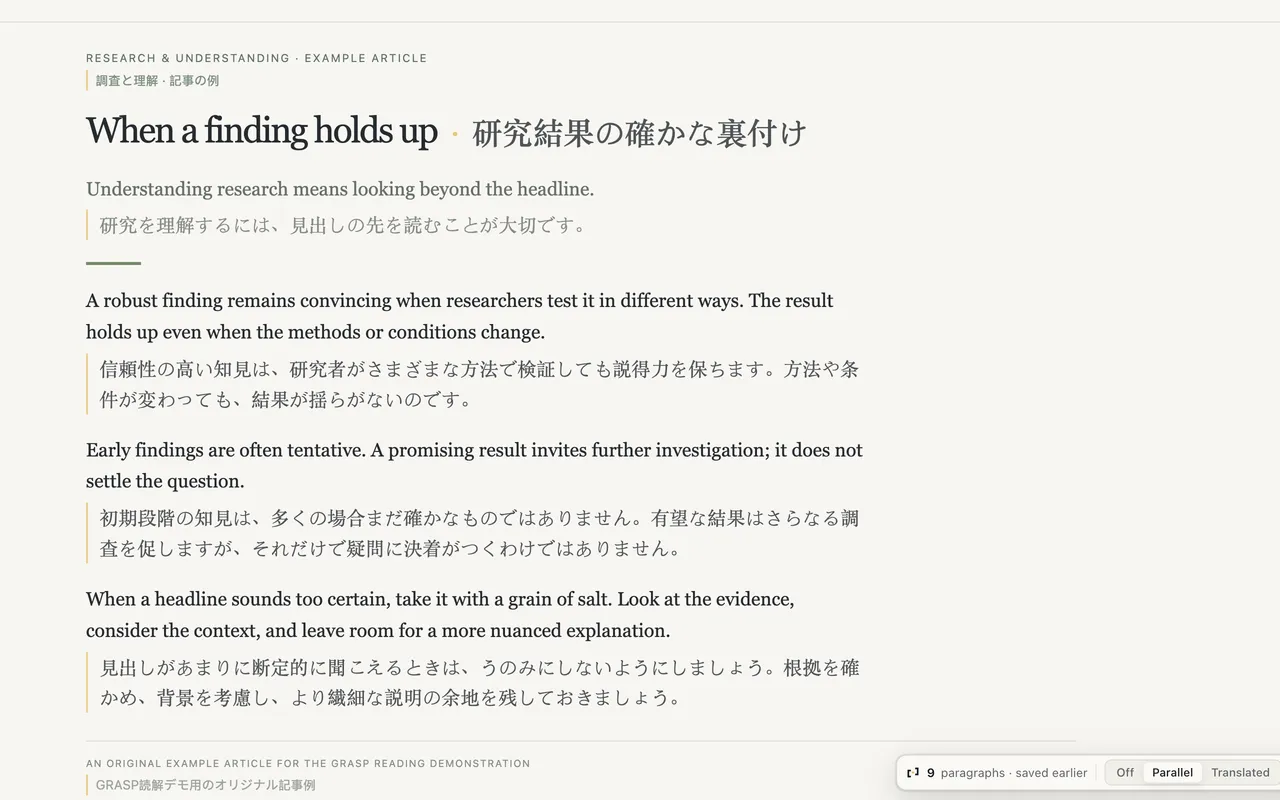 1
1Read in parallel
The translation sits beside each paragraph. The original never leaves.
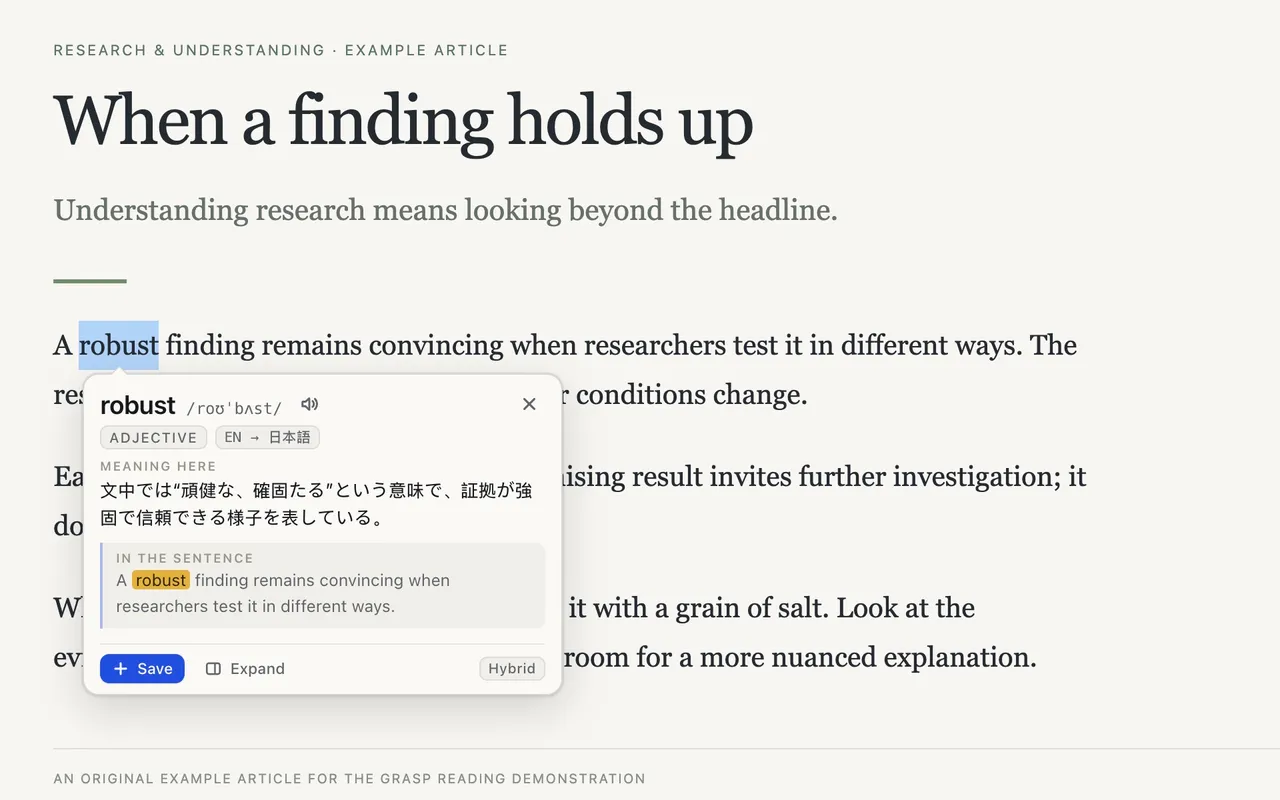 2
2A term is still unclear
Tap ⌥ on a Mac or Ctrl on Windows over the word.
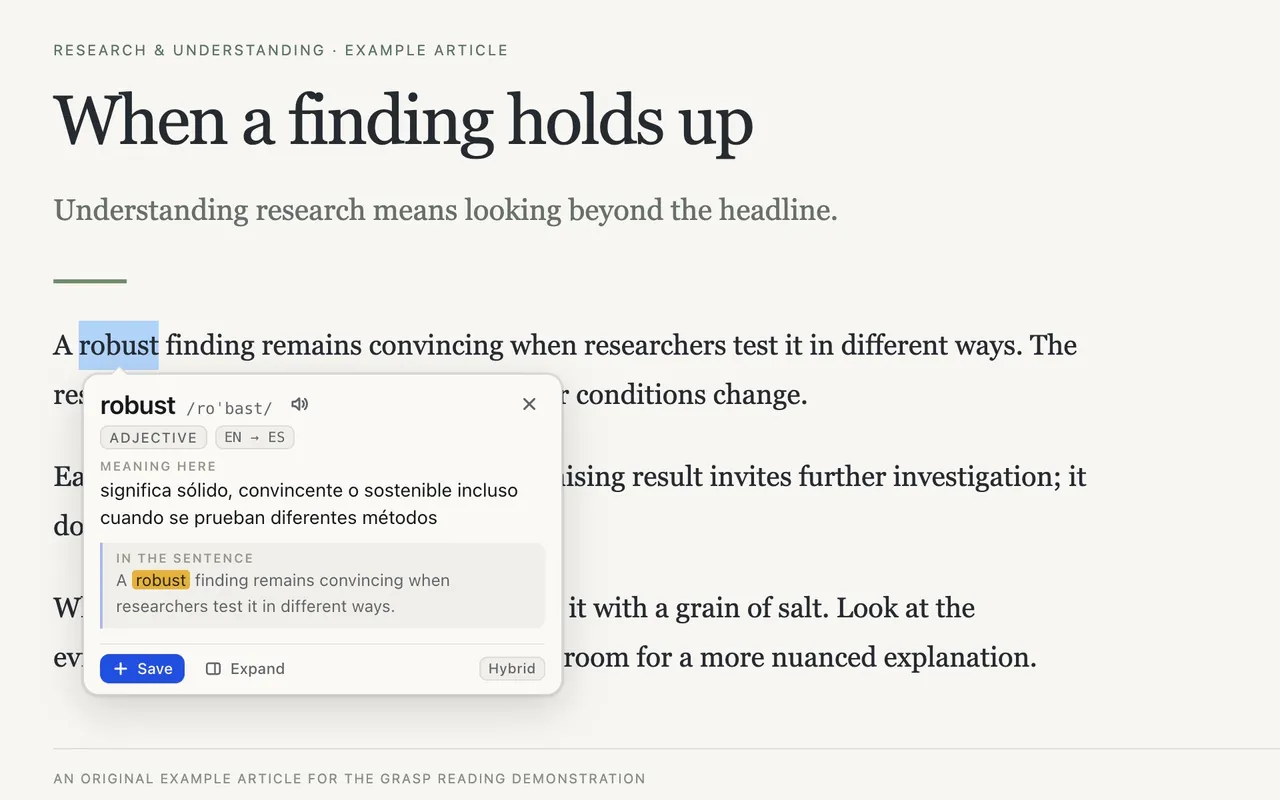
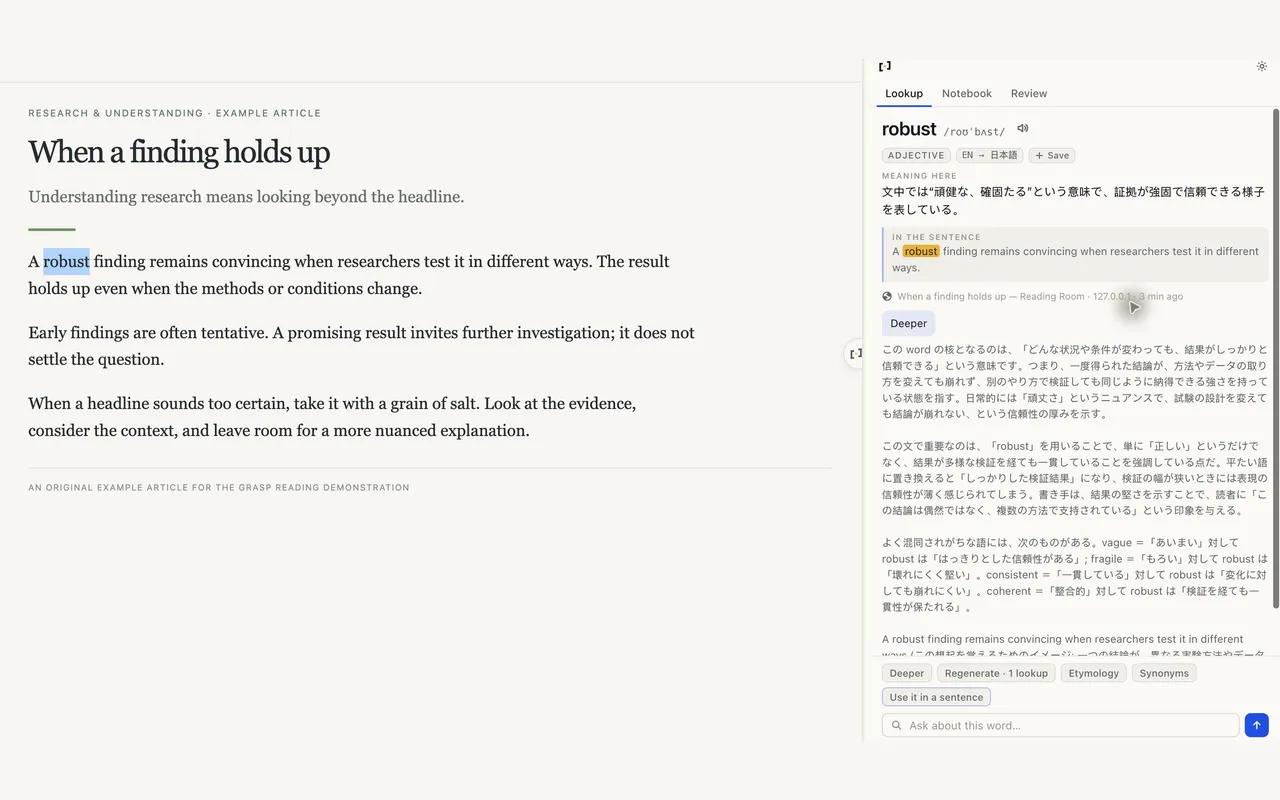 3
3The meaning in this sentence
Not the dictionary's first entry: the sense this writer meant.
 4
4Ask, then keep reading
A follow-up in the side panel, answered in your language. Your place on the page is kept.
What it does
Parallel or Translated
The translation beside each paragraph, or in its place. Switch any time; the page stays translated.
Meaning here
Tap ⌥ (Mac) or Ctrl (Windows) over a word: what it means in this sentence, not the first entry in a dictionary.
Deeper
Ask about the word or the passage in the side panel, in your language.
Text in images
Hold the key and drag a box. The text is read on this device.
Notebook and review
What you save keeps its sentence, syncs with Grasp for Mac, and comes back for review.
Quiet by default
Nothing is read or sent until you ask. Pause it per site from the toolbar.
On this device when it can
Where Chrome has the language pack, translation runs locally and works offline.
Who it is for
People who read English, or any second language, for work: documentation, papers, news, comments. You keep the original. Grasp sits beside it.
Against what you use now
| Grasp | Built-in page translation | An AI chat in another tab | |
|---|---|---|---|
| The original stays in view | replaced | you left the page | |
| A word explained in its sentence | one key | paste, ask, come back | |
| Remembers what you looked up | notebook |
Free and Premium
Free: 3 explanations and two screens of any page before you sign up, then 100 lookups a month with a free account.
Premium: unlimited lookups with fair use (30,000 a month), shared with Grasp for Mac, in the same plan as the web tools.
What leaves your browser, and when
A lookup or a page translation sends the text you asked about to grasp.info, nothing else. Translation and text recognition run inside Chrome when it has the language pack. Nothing is read until you ask.
Privacy policy →Questions
- Does it work in Edge, Brave, Opera or another browser?
- Yes. Any browser built on Chromium runs it: Edge, Brave, Opera, Vivaldi and Arc all install it from the Chrome Web Store, and Edge also has it in the Edge Add-ons store.
- Does it work offline?
- Page translation does, for languages Chrome has downloaded. Explanations and Deeper need the service.
- Which languages?
- Explanations and page translation in 100+ languages. On-device translation depends on the packs Chrome offers.
- Where can it not run?
- Browser pages such as settings, the Chrome Web Store, and sites that block extensions.
- I also use Grasp for Mac. Which one answers my tap?
- By default the Mac app. Turn off “Prefer Grasp for Mac” in the extension’s Options to let the extension answer in Chrome.
- What counts as a lookup?
- One explanation, one Deeper answer or follow-up, or one request of page text, about a screen's worth.